Mac menu bar · Nyxto
SoundLane
Different apps. Different speakers.
Send Chrome to headphones and music to a speaker at the same time—without changing your Mac’s system default for everything.
Coming to the Mac App Store · macOS 14.2+
One system output is a bottleneck
macOS plays everything through one default device. Meetings need headphones; music wants speakers; a call and a browser fight for the same path. SoundLane gives each app its own lane.
Why people use it
Work and play together
Keep calls private on headphones while media plays elsewhere—no System Settings juggling.
Stay reversible
One toggle turns routing off and restores normal Mac audio instantly.
Remember your setup
Saved outputs reconnect when each app starts playing.
Built for the menu bar
- Per-app device picker — different speaker or headphones for each app
- Concurrent routes — multiple apps to multiple outputs at once
- Saved reconnect — choices apply again when each app starts playing
- Volume & mute per route — without changing the system default
- Always available — open SoundLane from the menu bar anytime
How it works
- 1Turn routing on
Open SoundLane from the menu bar.
- 2Grant permission
Allow System Audio Recording when macOS asks.
- 3Pick outputs
Play audio in an app and choose its device.
- 4Restore anytime
Turn routing off to return to the system default.
Performance & privacy
SoundLane uses Apple’s public Core Audio process taps. Audio stays on your Mac—never recorded or uploaded. No accounts. No analytics.
- Local-only routing — no cloud path for your audio
- Lightweight menu-bar utility
- Honest limits — DRM may block capture; some apps may show Paused; Bluetooth latency depends on hardware
Details live in the site Privacy Policy (also linked in the footer).
In the menu bar
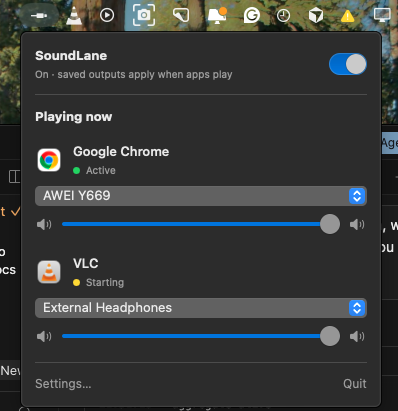
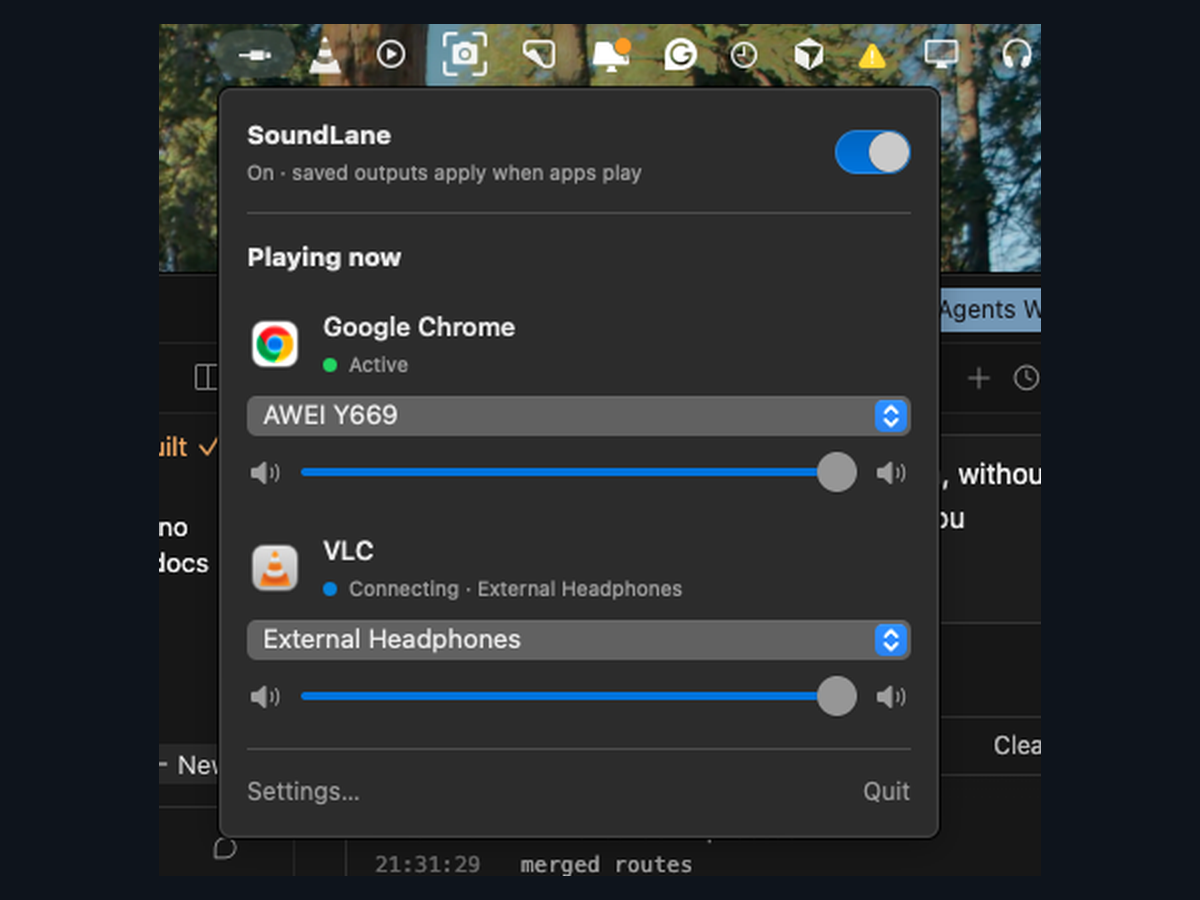
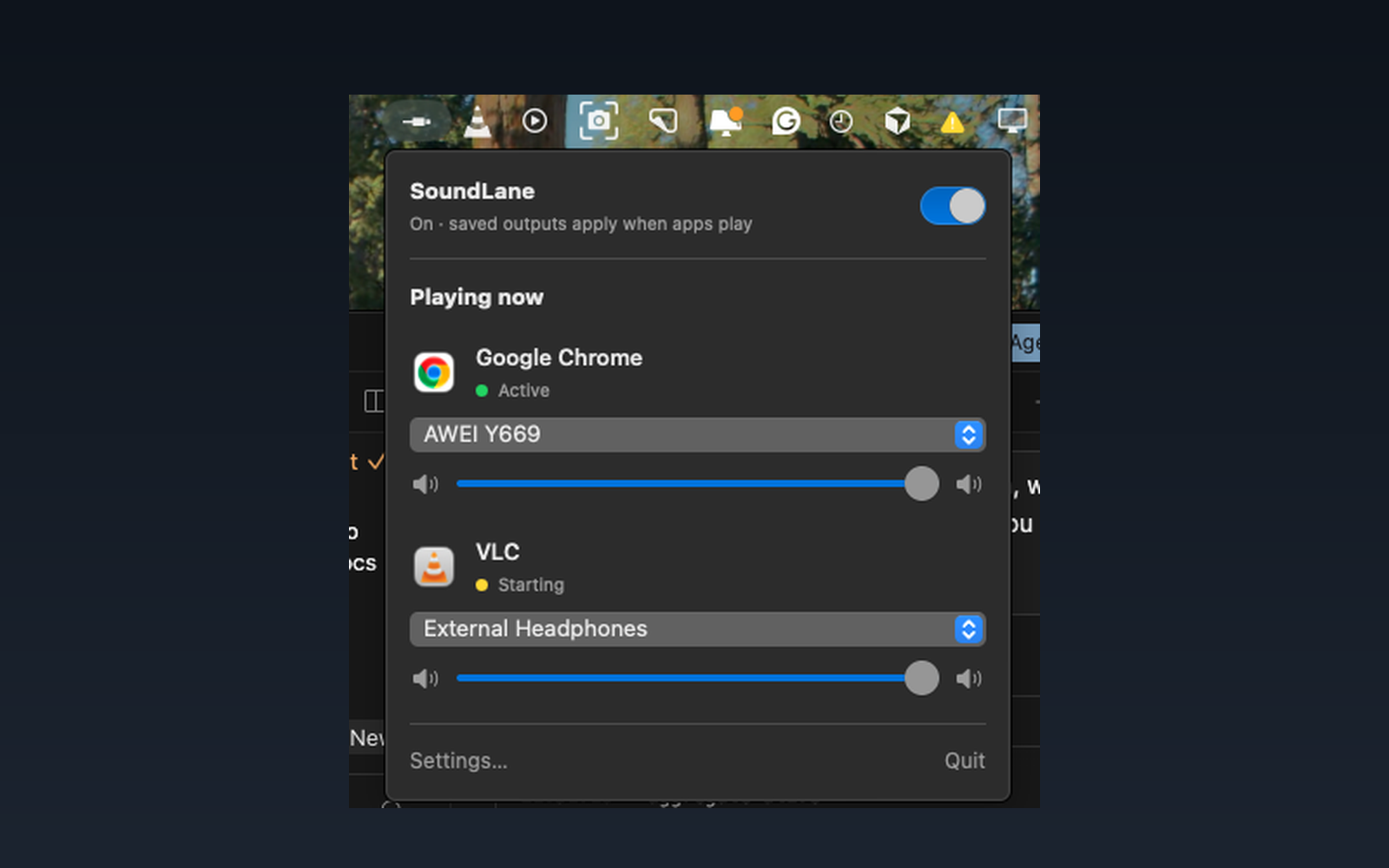
Real SoundLane UI — Active routes and clear Ready / Connecting / Paused status.
Pricing
$3.99
One-time on the Mac App Store. No subscription. No account.
- Unlimited per-app routes on your Mac
- Saved devices & reconnect when apps play
- Requires macOS 14.2 or later
Coming to the Mac App Store. Contact Nyxto for availability.
FAQ
Yes. macOS asks for System Audio Recording. Revoke it anytime in System Settings → Privacy & Security.
No. Turning routing off (or quitting) restores normal system output.
No. Routing is per application process, not per tab.
Some apps do not provide capturable audio. SoundLane pauses auto-connect instead of retrying forever.
DRM-protected streams may be blocked by the system. That is a platform limit.
Coming to the Mac App Store for $3.99 one-time. Until then, use Contact.
SoundLane
Different apps. Different speakers. Local on your Mac.
macOS 14.2+ · $3.99 one-time · no accounts